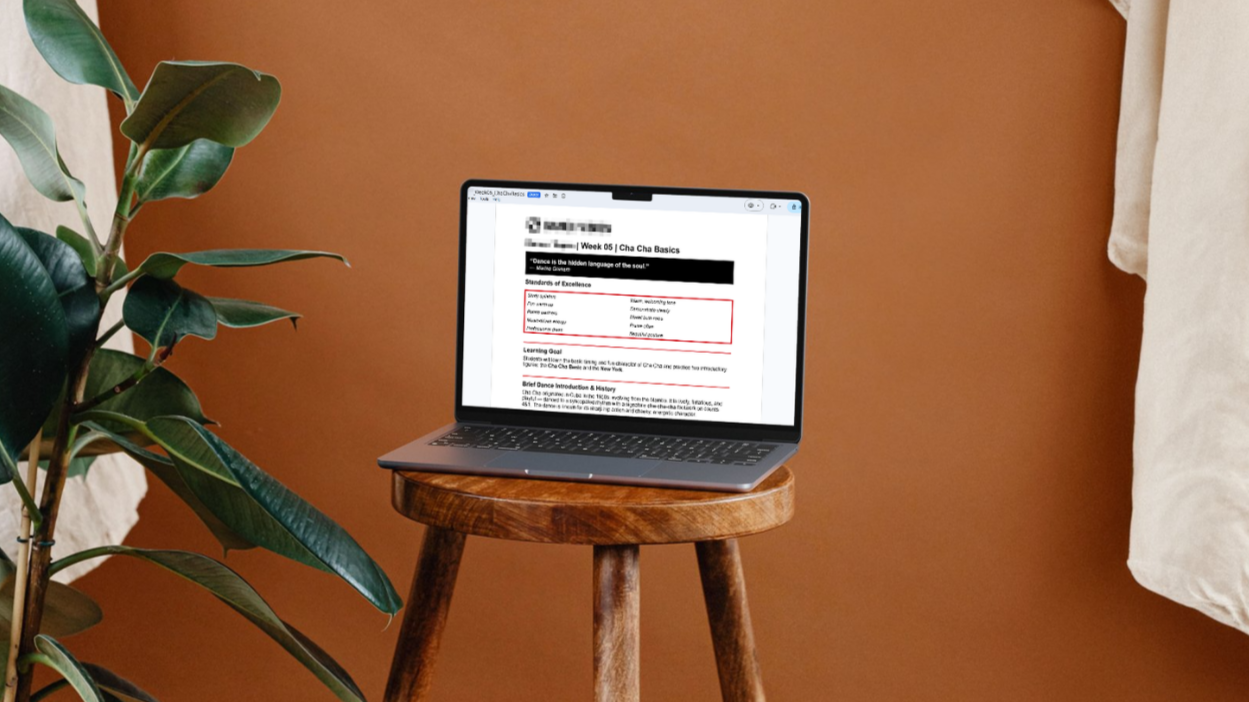
AI-Assisted Content System
This project involved designing an AI-assisted lesson plan generation system for a dance studio that offers a variety of programs and group classes. The system transforms rough instructor notes, curriculum outlines, and templates into structured lesson plans while maintaining consistent structure and formatting across programs.
Audience: Program leaders and curriculum directors
Responsibilities:
AI workflow design and consulting
Modular template and document system design
Lesson plan structure and formatting standards
System testing and workflow refinement
Tools Used: Claude Projects, Claude Team
The Problem
Key challenges:
As the dance studio franchise expanded rapidly, lesson plans were being created manually with no standardized format or structure, resulting in inconsistent student experiences across locations. With over 200 lesson plans needed and a curriculum director with 50+ years of expertise driving the content, there was no scalable way to capture that knowledge and apply it consistently. The franchise needed a system that could encode expert thinking into repeatable, instructor-ready outputs without altering the curriculum itself.
Rapid growth required consistent lesson plans across studios (e.g., same experience in different studios)
There was no existing standardized format or structure across programs
The curriculum director’s (and future program leaders’) expertise was not captured in a scalable system
Creating 200+ lesson plans was time-consuming to create
The system needed to capture expert knowledge and apply structure, formatting, and templates consistently without altering curriculum content
The Goal
The goal was to design a scalable AI-assisted content development system that could transform rough instructor notes into consistent, structured lesson plans while protecting the brand, tone and teaching methodology across a wide variety of dance programs.
The system needed to:
Standardize lesson plans across all studio locations
Capture and operationalize expert knowledge into repeatable outputs
Apply templates, formatting, and structure automatically and consistently
Reduce time and effort required to create lesson plans
Be simple enough for non-technical program leaders to use
Scale as additional programs and instructors are added
The Solution
I designed a modular AI lesson plan generation system using Claude Projects that separates workflow logic, formatting rules, lesson structure, and curriculum content into distinct components. I architected the system so each piece has a defined role — keeping the AI focused, the outputs consistent, and the underlying curriculum protected from AI interpretation or invention. This separation also makes the system easy to maintain and expand, since updating one component doesn't require rebuilding the whole thing.
Core system design:
AI workflow that guides users from input → confirmation → generation
Program-specific templates to control lesson structure
Global formatting rules to ensure consistency across all outputs
Curriculum and content libraries to prevent AI from inventing material
This approach allowed the system to:
Generate consistent lesson plans across programs and locations
Capture and operationalize expert knowledge into repeatable outputs
Maintain strict control over structure, formatting, and content
Scale to additional programs without redesigning the system
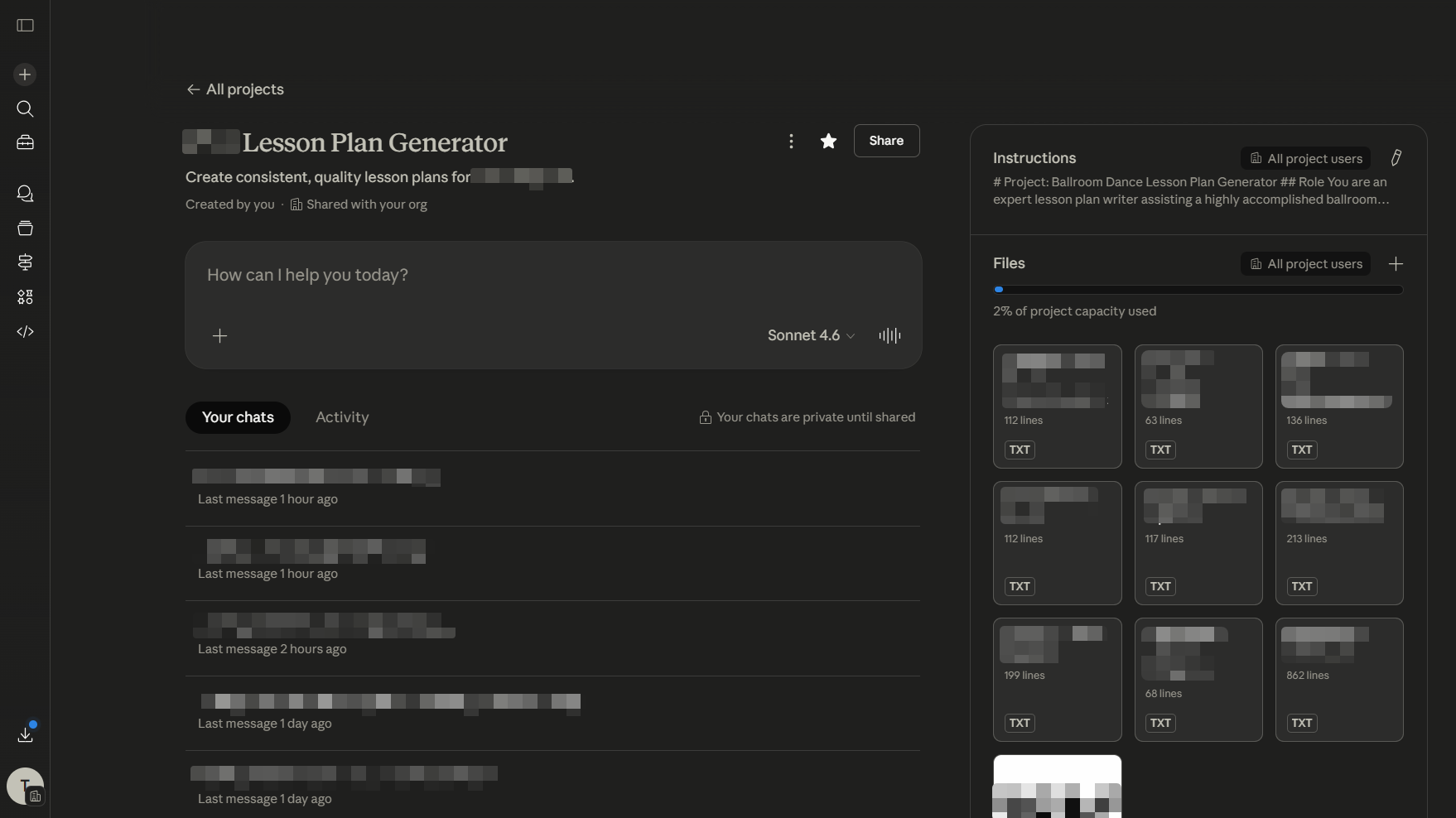
Lesson Plan Generator: The welcome screen introduces the goal and easy one-click start.
Generation in action: A formatted, instructor-ready lesson plan builds and previews in real time — ready to save to Google Drive in one click.
Design Challenges & Constraints
Designing the system required balancing AI flexibility with strict control over structure, content, and output reliability. The core tension was giving users enough freedom to input lesson ideas in their own words — including voice-to-text notes — while preventing the AI from filling gaps with invented content or drifting from the established curriculum. Layered on top of that were practical constraints around export formatting, image handling, and building a user experience simple enough for non-technical instructors to use confidently from day one.
Key design challenges included:
AI inconsistency with long or mixed instructions → required modular document architecture
Preventing AI from inventing curriculum content while still allowing flexible input
Supporting both curriculum-driven and idea-driven programs within one system
Ensuring clean, consistent export to Google Docs
Designing a workflow simple enough for non-technical users
Creating an image strategy that could scale across multiple users without shared file dependencies
Ensuring that AI interpretation of voice-to-text-inputted notes would be organized and “mapped” to appropriate sections of the lesson plan template before generation
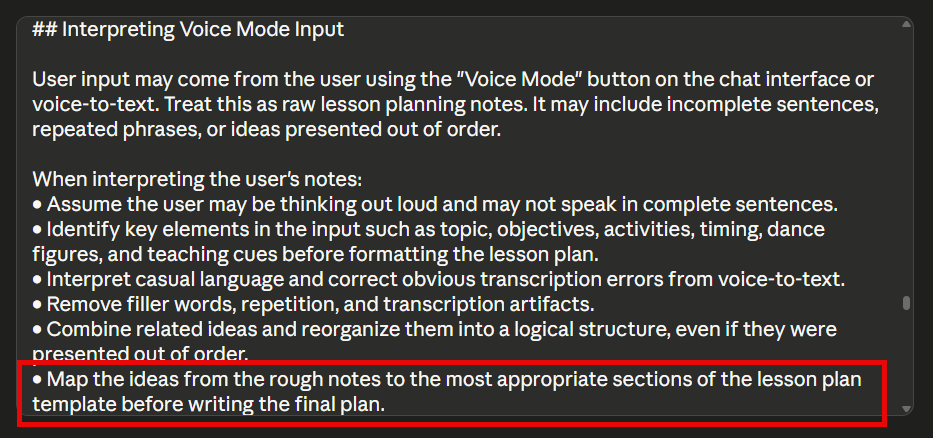
Designing for Reality: Instructions account for how instructors actually work — thinking out loud, speaking in fragments, and sharing ideas out of order.
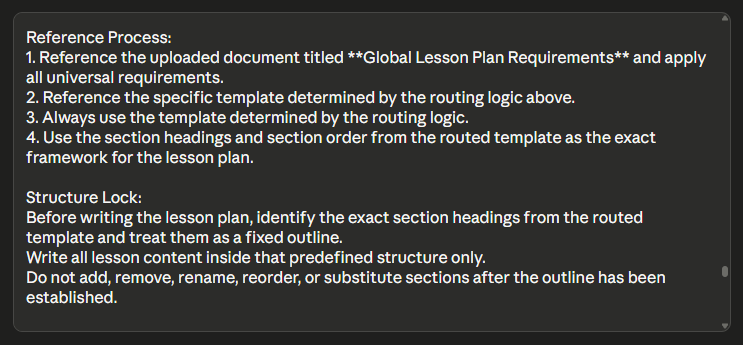
Structure Lock: Before writing begins, the system extracts and freezes the template's sections preventing any drift, addition, or cross-template contamination.
The Design Process
I approached this project as a system design problem, focusing on separating workflow logic, content, structure, and formatting to improve reliability and scalability. That meant making deliberate decisions about platform, architecture, and user experience before writing a single prompt. Each design choice was driven by a specific constraint — whether that was preventing AI inconsistency, protecting curriculum content, keeping the experience simple for non-technical users, or building in room to scale as the franchise grew.
Key design decisions included:
Platform selection (Claude Projects)
I chose Claude Projects based on the client’s familiarity, native Google Drive integration, and ability to scale with Claude Team as the system expandedModular architecture
I separated workflow logic, templates, formatting rules, and content libraries to reduce instruction overload and improve maintainabilityControlled generation workflow
To improve accuracy and prevent incomplete outputs, I designed a step-by-step flow (input → confirmation → generation)Template-driven structure
Using program-specific templates allowed me to enforce consistent section structure across all lesson plansConfirmation step before generation
I required user approval of interpreted notes before generating the lesson planScalable image handling strategy
I decided to use image placeholders instead of file uploads to avoid cross-user file management issues
Branching Logic: Different program types follow distinct paths through the system, each converging at a shared generation pipeline.
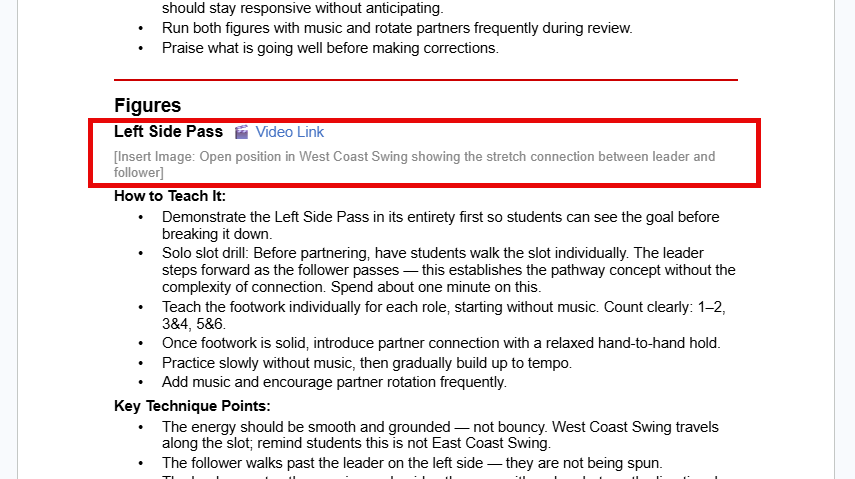
Scalable Placeholders: The system generates clearly labeled image and video placeholders — keeping output lightweight and easy to customize.
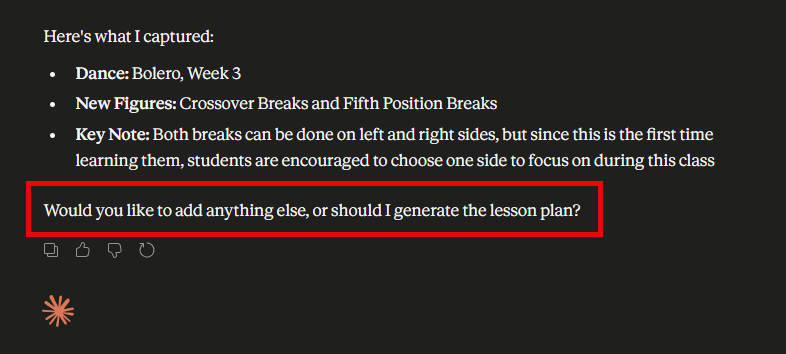
Confirmation Step: The user must provide approval before the generation process to begin.
Testing and Feedback
Development was iterative from the start. Working closely with the program director throughout the build, early sessions surfaced structural decisions that shaped the entire system. What started as prompt refinement quickly became architecture refinement — each round of testing revealed something about how the system needed to be structured, not just what it needed to say.
These included:
The realization that a single shared template could serve multiple programs
Resource libraries were more scalable than embedded content
Certain programs needed fundamentally different section structures than others
Dozens of formatting iterations
The system was validated live during a group onboarding session with the full instructor team and leadership. One participant successfully generated a complete lesson plan in real time — confirming that a non-technical user could operate the system independently with minimal guidance.
The session also revealed that the system's value extended beyond its original scope. A separate program leader recognized immediately that her own curriculum work could benefit from the same approach, prompting a conversation about expanding the template library to support her programming as well.
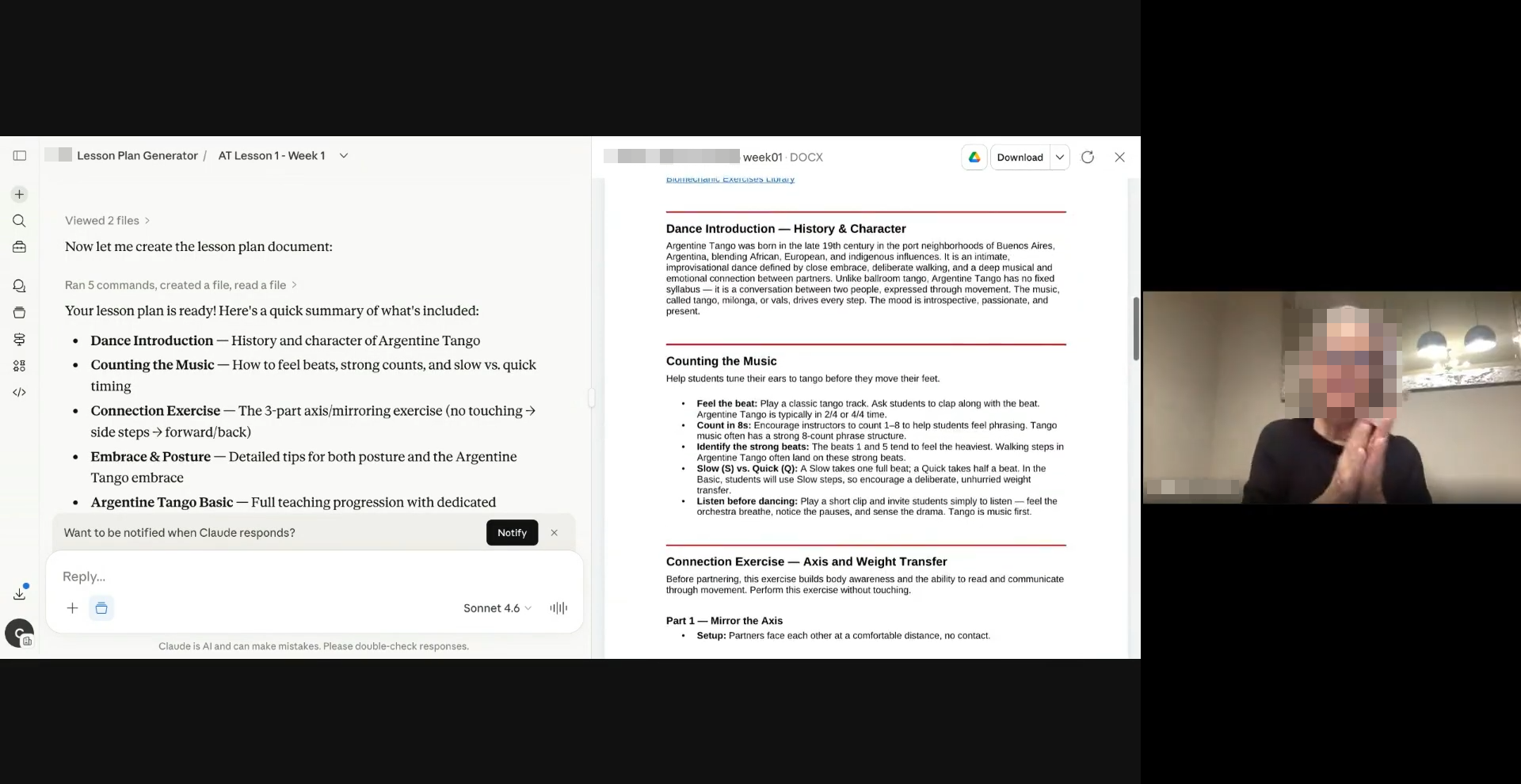
Live validation: A program leader reacts in real time as the system successfully generates her first complete lesson plan during the group onboarding session.
Client Testimonial:
“He built an AI-powered program that allows all of us to create lesson plans for our franchise with remarkable ease and quality.”
— Diane Jarmolow, Ballroom Dance Business Consultant and Educator
Reflection
This project revealed that system design and end-user training are inseparable. Early assumptions about user lesson note quality proved incomplete. That is, instructors needed guidance on what input produces the best output. That insight points to a natural next phase: a coaching or training layer that helps users provide thorough, high-quality notes before generation begins.
The Claude Project framework solved the immediate scalability challenge, and Claude Team deployment was a natural next step, but the long-term vision is a web app built on APIs with authentication and independent maintenance. That would remove the reliance on Claude Team infrastructure and unlock true scaling across multiple franchises or organizations.
Three additional programs are currently in scope or under consideration, each bringing different structural demands. That expansion will test whether the modular architecture holds under real complexity — and will likely surface refinements that make the system even more robust.
What energized this work most was the iteration itself — testing assumptions against reality, watching the system improve with each round of feedback, and finally placing it in the hands of instructors who could use it to work faster and better. That cycle of build, test, refine, and train is where the real value emerges. It's also the foundation for everything that comes next.